MU 105 Getting Paid
MAGNOLIA UNIVERSITY
LAUNCH · MU 105
Getting Paid
Creators, watch when your first commission lands (or set up now in your first 30 days) · About 4.5 minutes
Watch the lesson
PRINTABLE FOR THIS LESSON
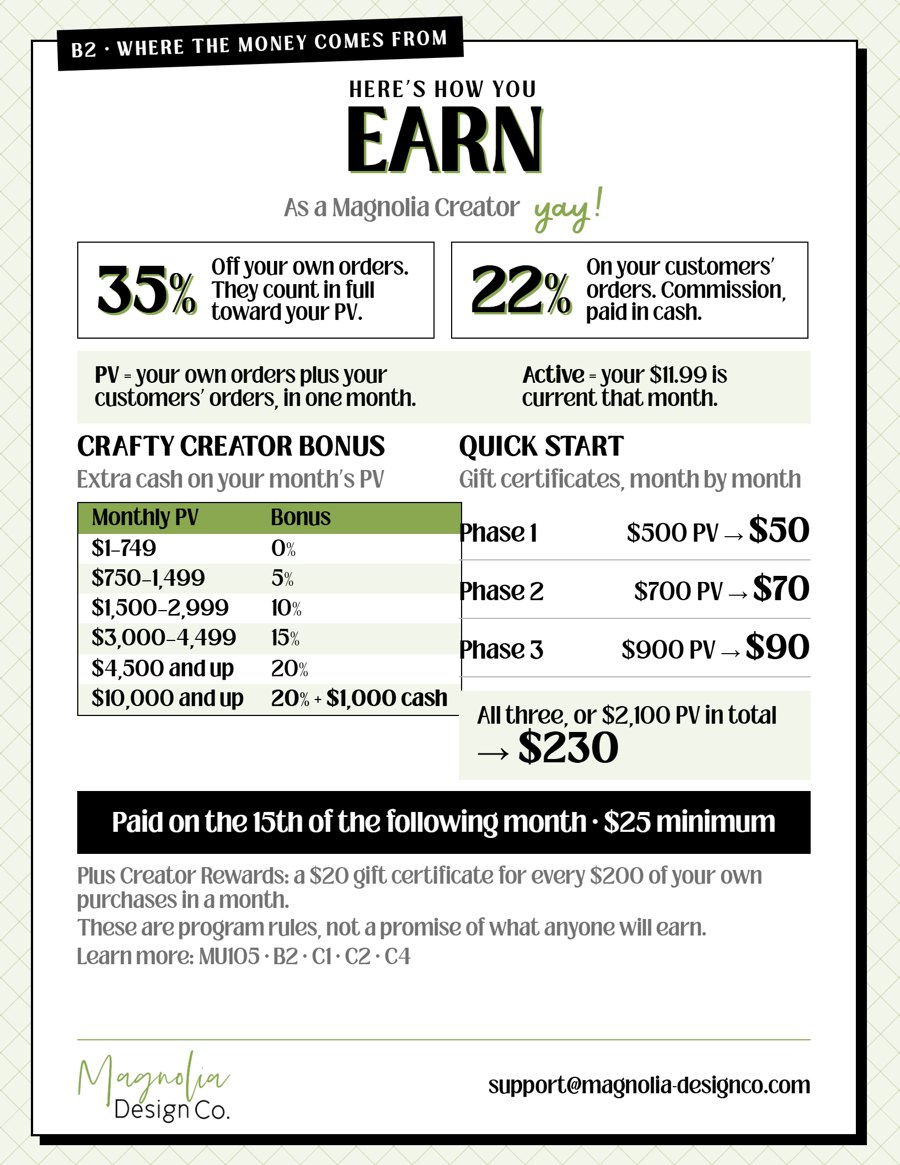 |
How You Earn: Creators Letter, 1 page |
In this lesson you’ll learn
- How to set up your bonus account so we can pay you
- When you get paid, and the smallest amount we pay out
- Where to see your earnings and your gift certificates in your Backoffice
Why this matters
You did the work, so we want your money to reach you without a hitch. A few minutes of setup now means no surprises later. Knowing the dates also helps you plan and stay calm while you wait.
The steps
- Set up your bonus account. In your Backoffice, click your name, top right, then Edit Bonus Account. This is where your direct deposit details go, so we can send your cash earnings.
- Keep your $11.99 current. To earn in a month, your $11.99 monthly fee must be current that month. If it lapses, nothing is earned that month.
- Know what you earn on. You earn 22% commission on your customers’ orders. Commission is the money you earn on what your customers buy. Your own orders don’t earn commission, because you already get 35% off. But your own orders DO count in full toward your PV, your rank and your bonuses.
- Know when you get paid. We pay on the 15th of the following month. So earnings from one month are paid on the 15th of the next month.
- Know the minimum. We pay out once your earnings reach at least $25.
- See how you’re doing this month. Click Commissions in the left menu, then Summary. On this month’s row, click View Projection. That’s your “how am I doing this month?” button. For a past month, click View Statement.
- Check your gift certificates. Some programs pay in gift certificates, not cash. Click Commissions, then Your Gift Certificates. Your Quick Start and Creator Rewards gift certificates show up there.
- Questions? Open a ticket on Magnolia Connect. We’re happy to help.
Cash vs. gift certificates
| Program | Paid as |
|---|---|
| 22% commission on customer orders | Cash |
| Crafty Creator Bonus | Cash |
| Quick Start | Gift certificates |
| Creator Rewards | Gift certificates |
Good to know
Your statement may call your Crafty Creator Bonus the “Crafty Creator Discount.” It’s the same thing, and it’s paid in cash.
See it on screen
Here’s what these screens look like. These come from a practice account, so every number is zero.
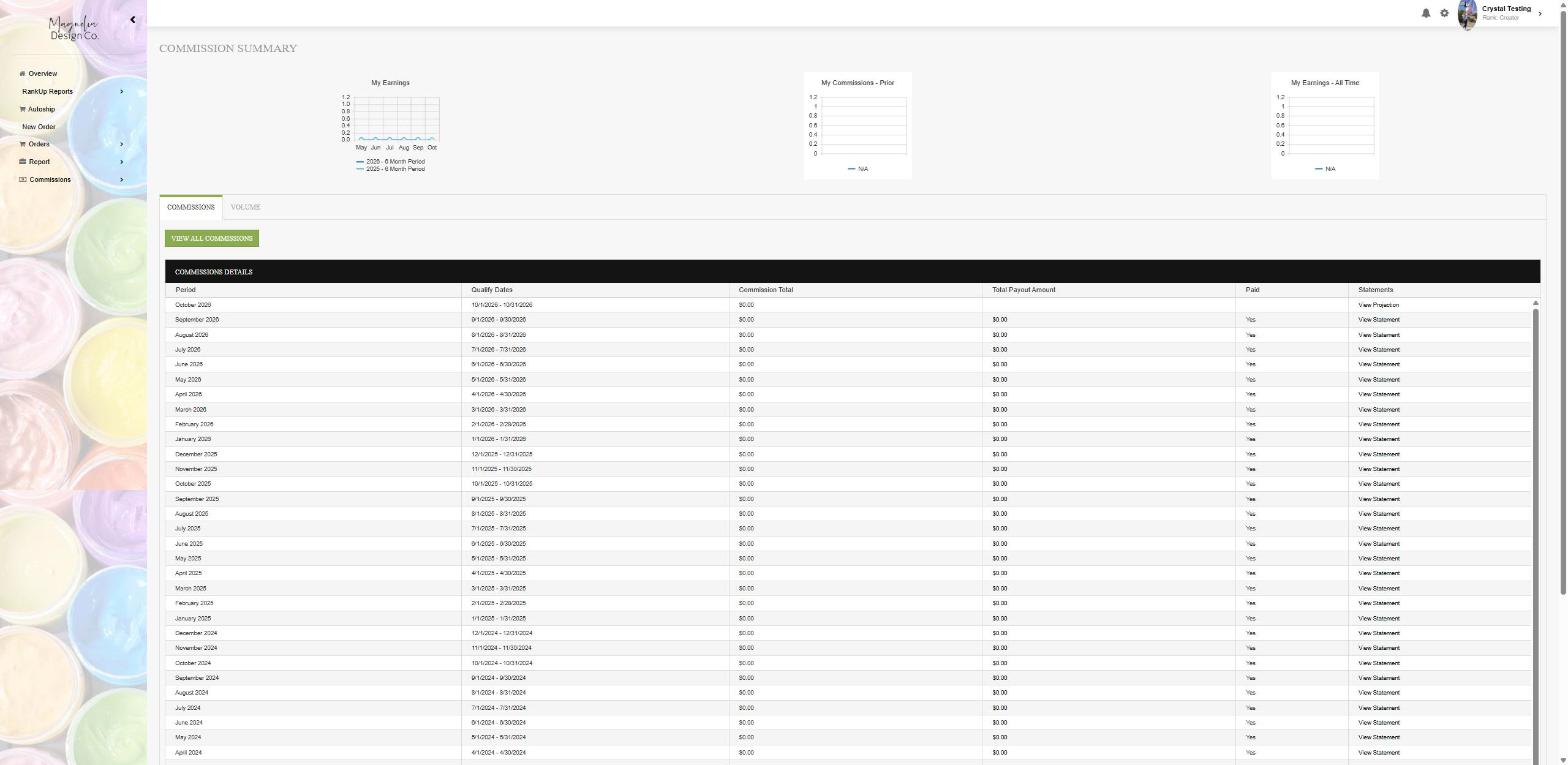
Commissions, then Summary. One row for each month.

This month’s row says View Projection. Past months say View Statement.
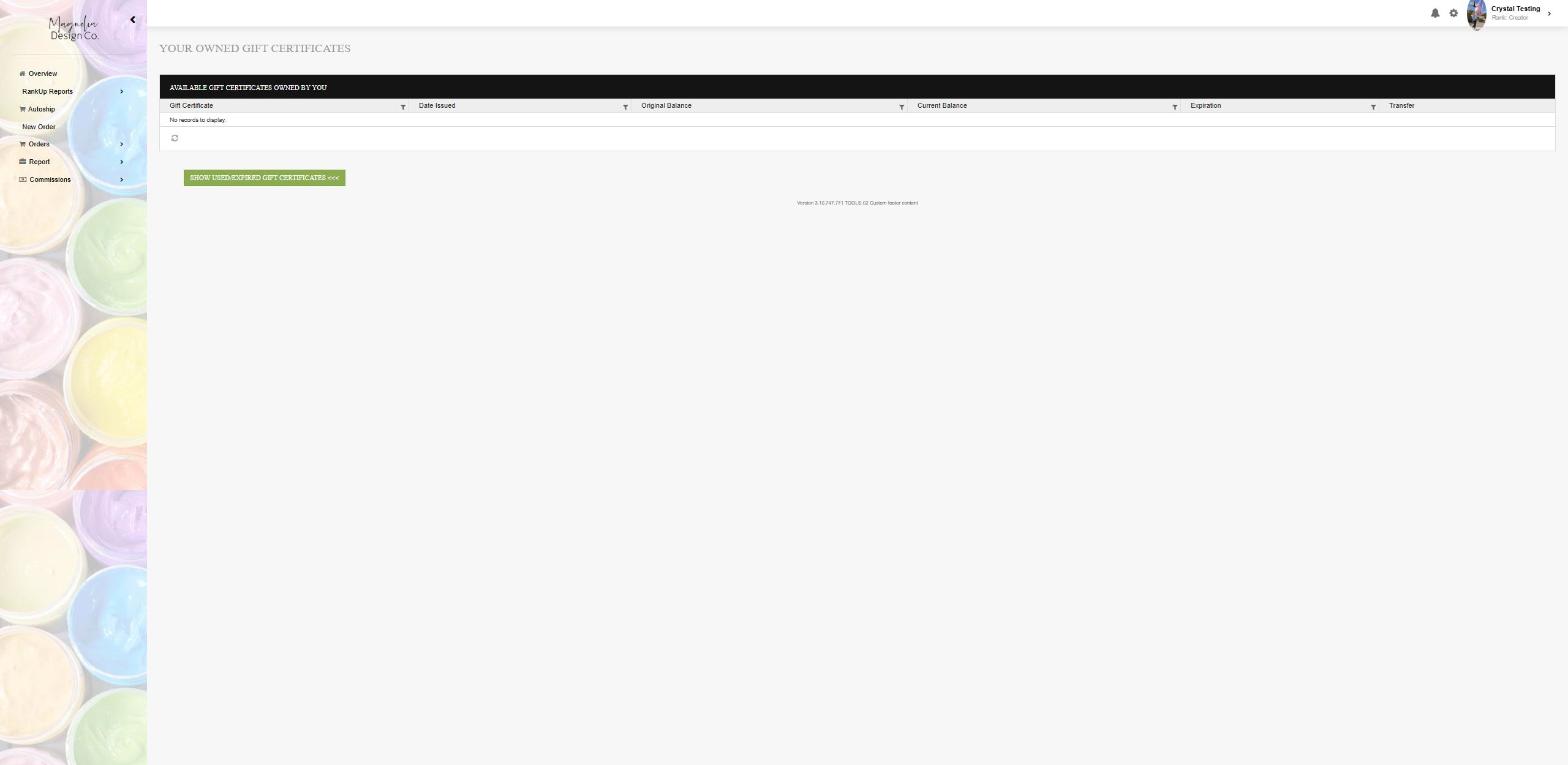
Commissions, then Your Gift Certificates. Quick Start and Creator Rewards gift certificates land here.
Your one thing to do
Open Edit Bonus Account and finish your setup today.
Check what you learned
Tap the answer you think is right. There’s no grade, so have fun with it!
1. When do you get paid?
- The 1st of the same month
- The 15th of the following month
- The last day of every month
Show the answer
2. What is the smallest amount we pay out?
- $25
- $11.99
- $100
Show the answer
3. Which program pays you in gift certificates?
- 22% commission on customer orders
- Crafty Creator Bonus
- Quick Start
Show the answer
All done with this one?
Your progress shows on the Magnolia University page.