
MU 302 Signing Someone Up
MAGNOLIA UNIVERSITY
LEADING · MU 302
Signing Someone Up
Creators and Affiliates who are sponsoring someone · About 5 minutes
Watch the lesson
PRINTABLE FOR THIS LESSON
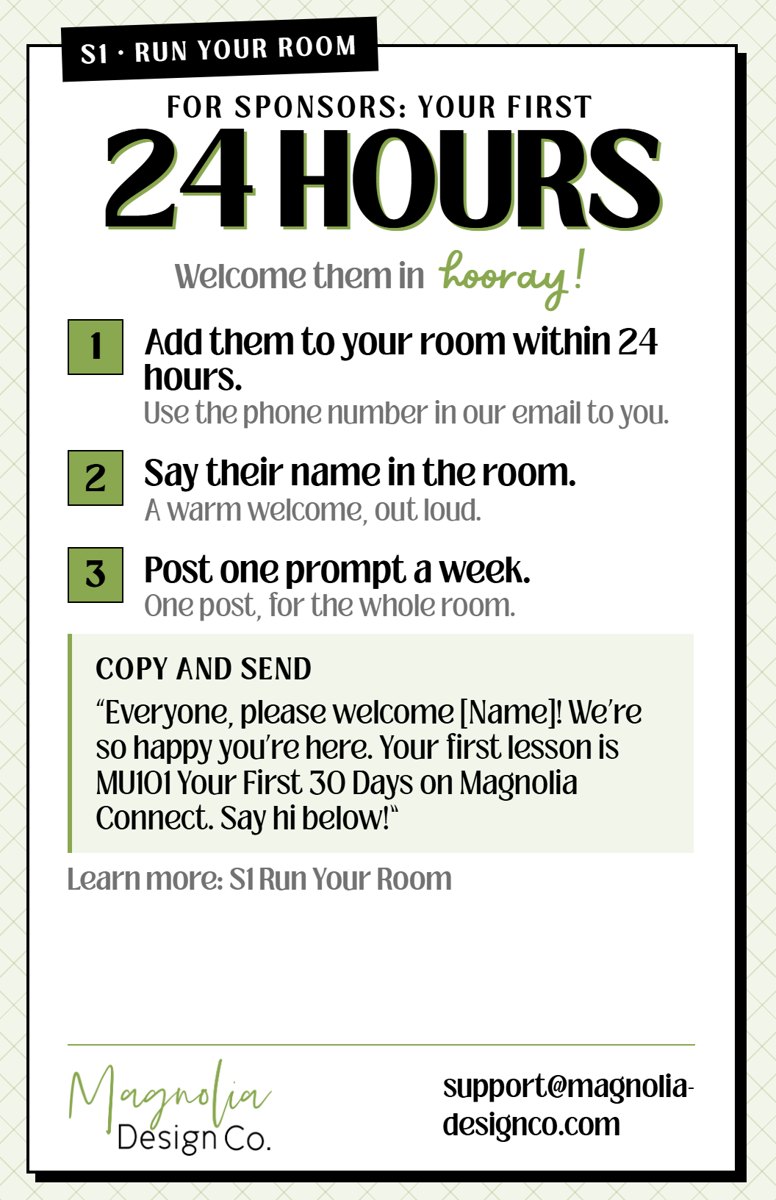 |
Sponsor’s First 24 Hours Half sheet, 2 sides |
In this lesson you’ll learn
- How someone joins with you, step by step
- What they get right away, and what to help them do first
- What you do in their first 24 hours as their sponsor
Why this matters
Joining should feel easy and exciting. When you walk someone through it, they start with confidence instead of confusion. And the first day sets the tone for everything after.
The words to know
- Enroll means to sign up.
- Sponsor means the person who helps someone join. That’s you.
- Shop link means the web address for someone’s own Magnolia shop.
The steps: how they join
- Send your join link. It’s the Join my team card on your shop page. Or they can go to magnoliadesignco.com, click Join, and enter your name as the Creator they’re joining with.
- They pick Affiliate or Creator. Affiliate has no cost to join. Creator is $19.99, or $69 for the Build Your Own Kit.
- Creators choose their shop name. This sets their shop link, and their shop is live right away.
- They get a welcome email with their ID number and their shop link. Tell them to check spam if they don’t see it.
- They can use their welcome code. NEW26 gives 10% off one order, valid 30 days from joining.
The steps: their first day with you
- You get an email too. When someone joins your team, we email you their name, ID, phone and email.
- Add them to your team room within 24 hours. (See S1 Run Your Room.)
- Say their name in the room. A warm welcome, out loud.
-
Help them save two links. Their shop link and their Craft Club link (shop link +
?categoryID=29). - Point them to their first lesson. MU101 Your First 30 Days, in Magnolia University on Magnolia Connect.
Helpful Backoffice steps for a new Creator
- Log in at backoffice.magnoliadesignco.com with their Magnolia ID Number or email.
- Click your name, top right → Replicated Site Info. Set Email to Default and click Save Changes. This turns on the EMAIL ME button on their shop page, so customers can reach them.
- Click your name, top right → Edit Bonus Account to add bank details for payouts. (Heads-up: Logout sits right above Replicated Site Info in that menu. Click carefully.)
Words you can use
“Welcome to the team! I’m so happy you’re here. I’ve added you to our team chat. Your first lesson is MU101 Your First 30 Days on Magnolia Connect. Text me anytime!”
Your one thing to do
Save your Join my team link in your phone notes, so it’s ready when someone says yes.
Watch next: S1 Run Your Room
On Magnolia Connect: How to Access the Back Office & Fix Login Issues · How to Reset Your Password
Check what you learned
Tap the answer you think is right. There’s no grade, so have fun with it!
1. How soon should you add a person who joins to your team room?
- Within 24 hours
- Within 30 days
- After their first order
Show the answer
2. What does the NEW26 welcome code give them?
- 20% off every order
- 10% off one order, within 30 days of joining
- $10 off after 60 days
Show the answer
3. Which lesson do you point them to first?
- MU304 Rank And Compensation
- S1 Run Your Room
- MU101 Your First 30 Days
Show the answer
All done with this one?
Your progress shows on the Magnolia University page.